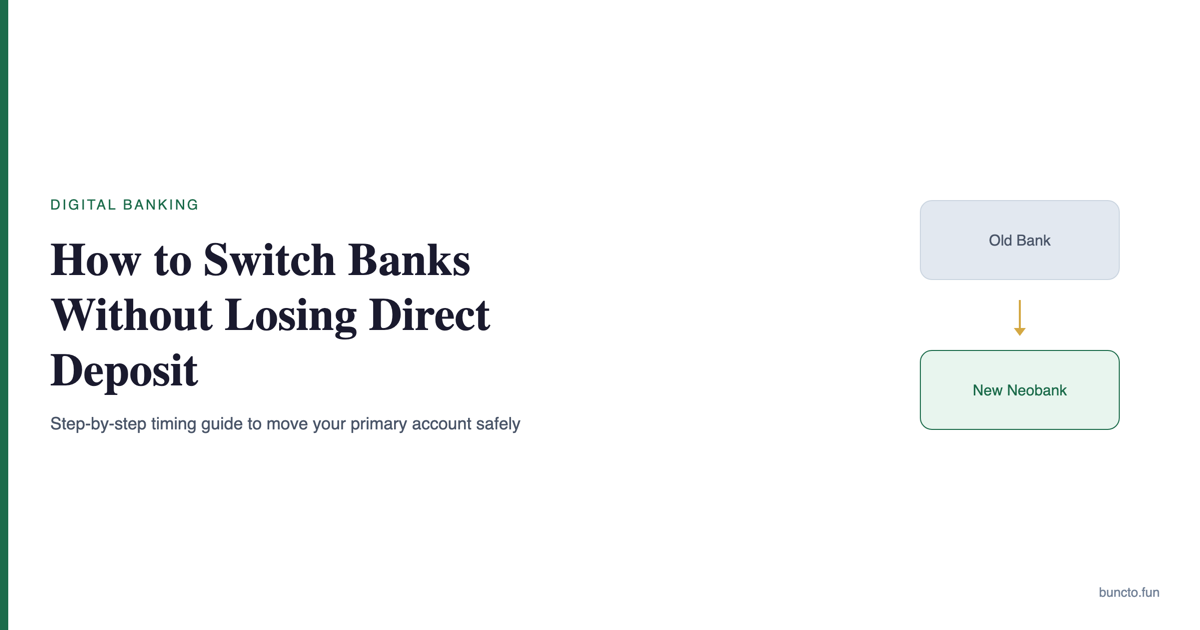
Roughly 4.5 million Americans switch their primary bank each year, according to a 2024 Bankrate survey. The Federal Reserve reports that 76% of US adults receive wages via direct deposit. Yet most people delay switching because they fear a missed paycheck. The fear is reasonable. The fix is a sequence, not a leap. This guide walks through each step, with specific timelines and the exact forms involved. We explain our verification approach in our research methodology.
In this article
- Why do people avoid switching banks?
- What should you do before opening a new account?
- How do you open a new bank account the right way?
- How do you move direct deposit without missing a paycheck?
- What about government benefits like Social Security?
- How do you move automatic payments and subscriptions?
- When is it safe to close the old account?
- Frequently Asked Questions
Why do people avoid switching banks?
The complexity is real but manageable. Most payroll systems take 1-2 pay cycles to process a direct deposit change. During that transition, your old account still works. The trick is overlap, not speed.
Banks also benefit from this inertia. The average checking account holds ,400 in deposits, according to the Federal Reserve’s Survey of Consumer Finances. Every month you delay is another month of fees and opportunity cost.
What should you do before opening a new account?
Pull your last two bank statements. Categorize transactions into three groups:
- Direct deposits — payroll, freelance payments, government benefits (Social Security, VA benefits)
- Automatic debits — rent, utilities, loan payments, insurance premiums, subscriptions
- Linked accounts — Venmo, PayPal, Cash App, brokerage accounts, savings accounts
Most people undercount. The average American has 6-8 recurring automatic payments, according to the Consumer Financial Protection Bureau. Miss one, and you risk a late fee or a service interruption.
How do you open a new bank account the right way?
If you are switching to a neobank, the process is usually faster. Chime, SoFi, and Varo approve applications in minutes. Traditional banks like Chase or Bank of America take 1-3 business days for online applications.
Keep your initial deposit small. You want to verify that the account works before routing your paycheck there. Test a small ACH transfer from your old account to confirm the connection.
How do you move direct deposit without missing a paycheck?
Here is the exact sequence:
- Get your new account details. Log into your new bank and find the routing number and account number. Neobanks like Chime display these in the app under “Move Money” or “Account Details.”
- Submit the change. Most employers use ADP, Gusto, Paychex, or an internal HR portal. Log in and update your direct deposit information directly. If your employer uses paper forms, ask HR for a Direct Deposit Authorization Form.
- Confirm the timeline. Ask payroll when the change takes effect. Some process mid-cycle; others wait for the next full cycle.
- Verify the first deposit. Check your new account on payday. If the deposit appears, you are done with this step. If not, check your old account — the paycheck likely went there instead.
This is the most important step. Do not close your old account until you have verified at least one successful direct deposit in the new account. Two successful deposits is even safer.
What about government benefits like Social Security?
For VA benefits, update through VA.gov or call 1-800-827-1000. IRS tax refunds use the banking information on your most recent return. If you are expecting a refund, update your bank details when you file.
How do you move automatic payments and subscriptions?
Prioritize by consequence of failure:
| Priority | Payment type | Risk if missed | Where to update |
|---|---|---|---|
| 1 | Mortgage / rent | Late fee, credit hit | Lender portal or landlord |
| 2 | Car loan / student loan | Late fee, credit hit | Loan servicer portal |
| 3 | Insurance (health, auto, home) | Coverage lapse | Insurance provider portal |
| 4 | Utilities (electric, gas, water) | Service shutoff after 30-60 days | Utility company website |
| 5 | Subscriptions (streaming, gym, SaaS) | Service interruption | App or website settings |
| 6 | P2P apps (Venmo, Zelle, Cash App) | Failed transfers | App settings |
Check each service 7-10 days after updating to confirm the new payment method is active. Some billers require you to re-enter the full routing and account number; others let you link via Plaid.
When is it safe to close the old account?
Before closing, check for:
- Any pending transactions or holds
- Outstanding checks that have not cleared
- Recurring annual payments (insurance, subscriptions billed yearly)
- Tax refunds or rebates you are expecting
Transfer the remaining balance to your new account. Then close the old account by calling the bank or visiting a branch. Request written confirmation that the account is closed with a zero balance. This protects you if the bank later claims you owe fees.
For a deeper look at which neobanks make the best primary accounts, see our pillar guide.
Frequently Asked Questions
Yes. Most payroll systems allow split direct deposit, where a fixed amount or percentage goes to each account. This is a low-risk way to test your new bank before fully switching. Ask your HR department or check your payroll portal for the option.
No. Opening or closing a checking or savings account does not appear on your credit report and has no impact on your credit score. Credit bureaus track credit accounts (loans, credit cards), not deposit accounts. The exception is if you owe fees to your old bank and they send the debt to collections.
Plan for 4-6 weeks from opening the new account to closing the old one. The direct deposit change takes 1-2 pay cycles. Moving automatic payments takes another 1-2 weeks. The 60-day overlap period is a safety buffer, not a minimum requirement.
Keep a buffer of 00-00 in your old account during the transition to cover any stray debits. If a payment does bounce, contact the biller immediately. Most will waive the first late fee if you explain you are switching banks and pay promptly.
Sources
- Bankrate, “Survey: 4.5 million Americans switched banks in 2024” — bankrate.com
- Federal Reserve, “Survey of Consumer Finances” — federalreserve.gov
- Consumer Financial Protection Bureau, “Managing automatic payments” — consumerfinance.gov
- Social Security Administration, “Direct deposit changes” — ssa.gov
- J.D. Power, “US Retail Banking Satisfaction Study” — jdpower.com